
Your AI memory, kept by you
Every AI forgets you. Kodie doesn't.
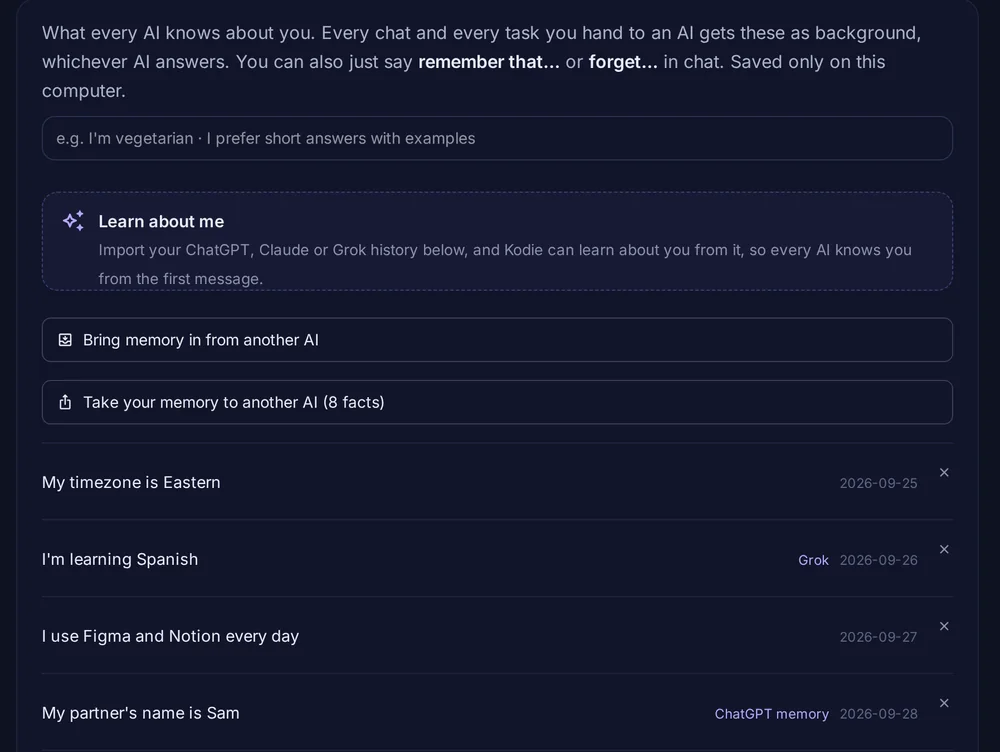
Bring your chats from ChatGPT, Claude and Grok. Kodie learns who you are, you approve what it keeps, and every AI you use through Kodie knows you from the first message. Switch AIs whenever you like. Your memory stays with you, on your PC.
ChatGPT and Claude each remember you, but only inside their own app. Kodie carries you between them, and copies your memory into any of them in one click.
Kodie found 5 things about you. Keep what's right.
- I'm a nurse working night shifts
- I'm training for my first half marathon
- I prefer short answers with a quick summary first
- I'm learning Spanish for a trip to Mexico City
- I'm planning a birthday party
See it
This is Kodie.
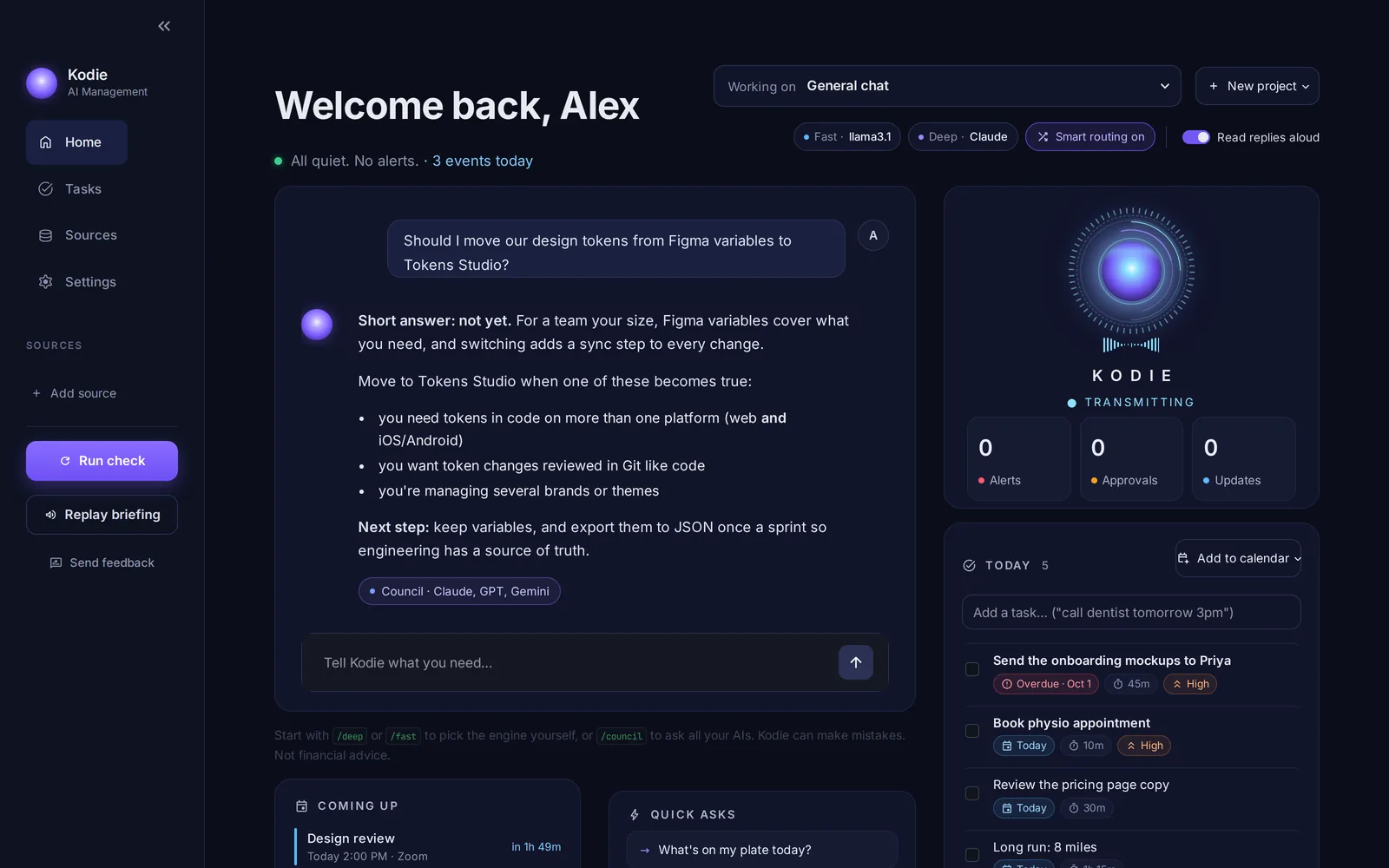
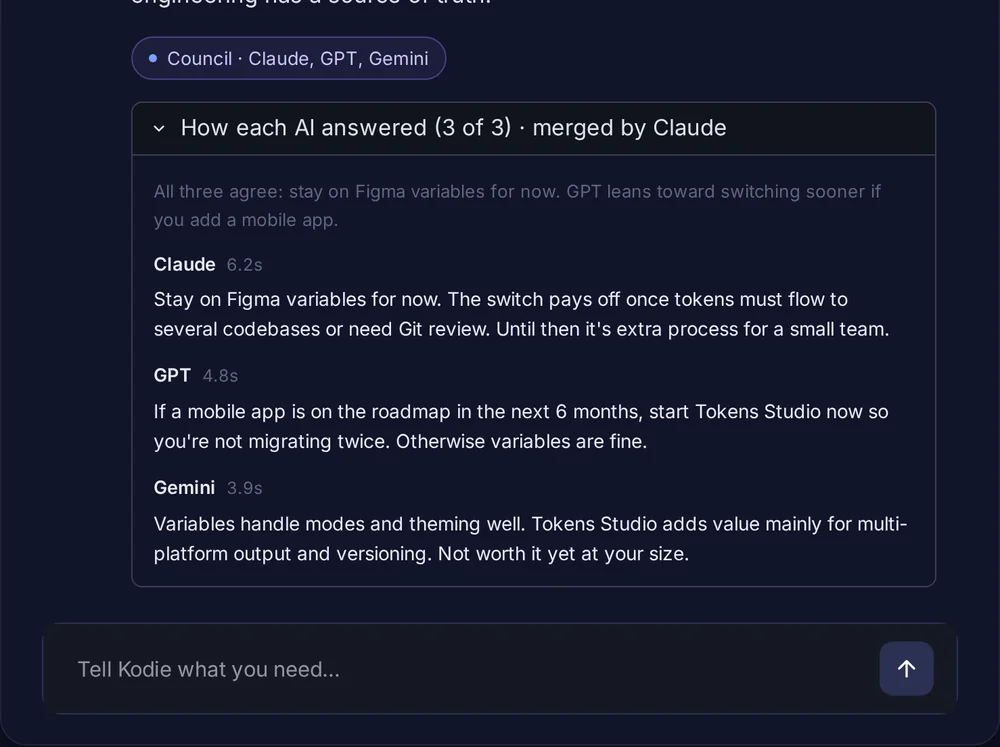
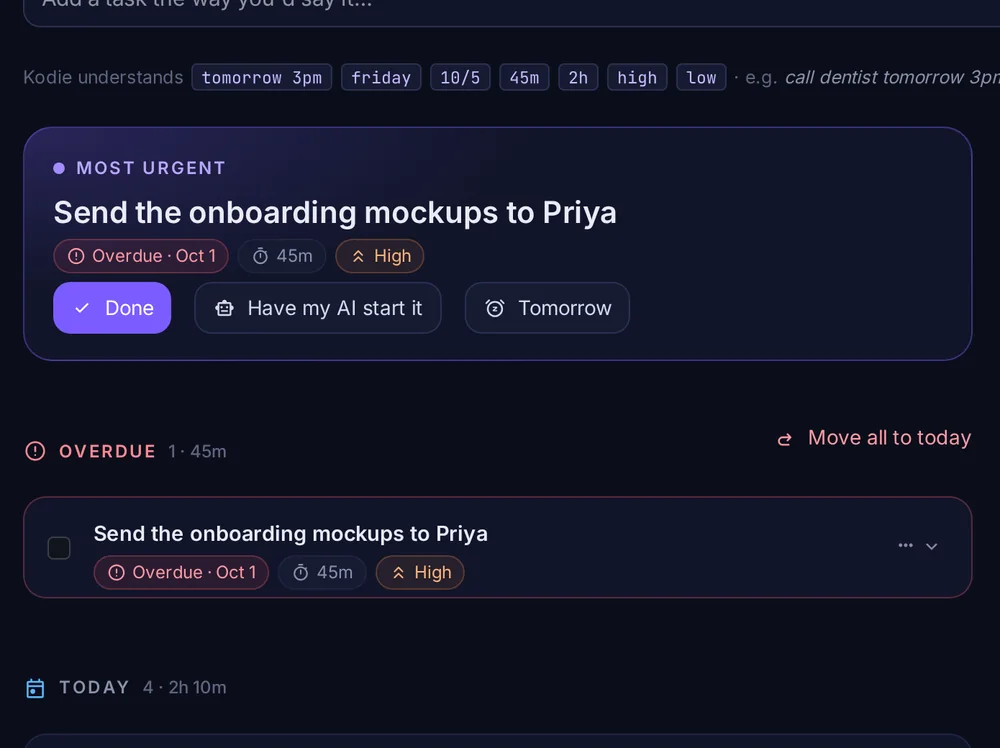
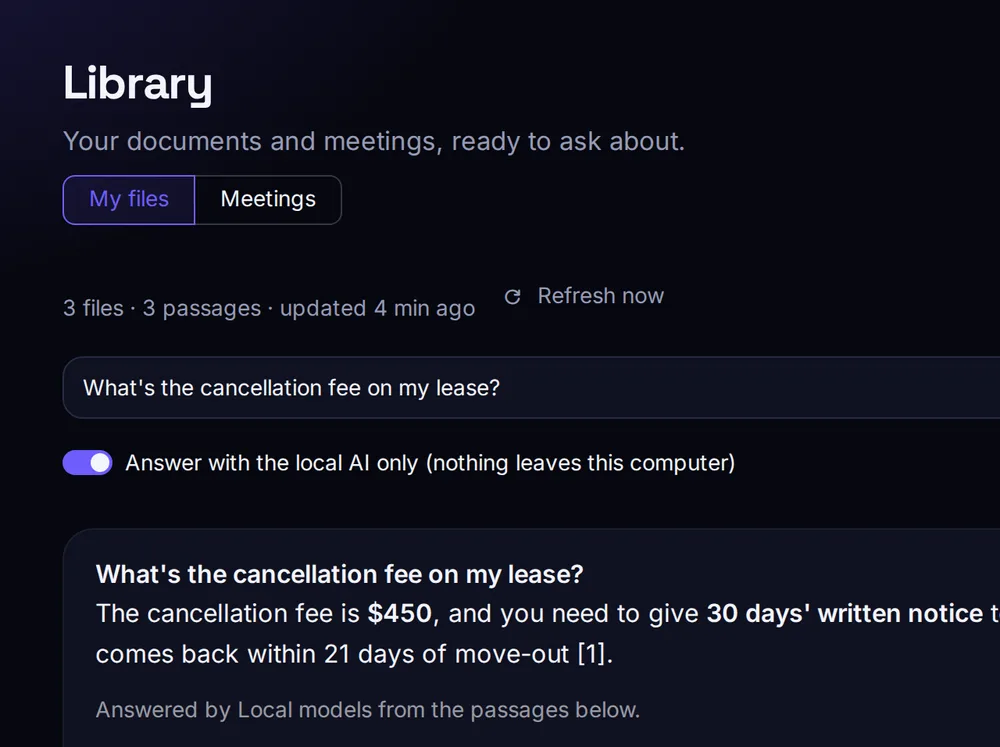
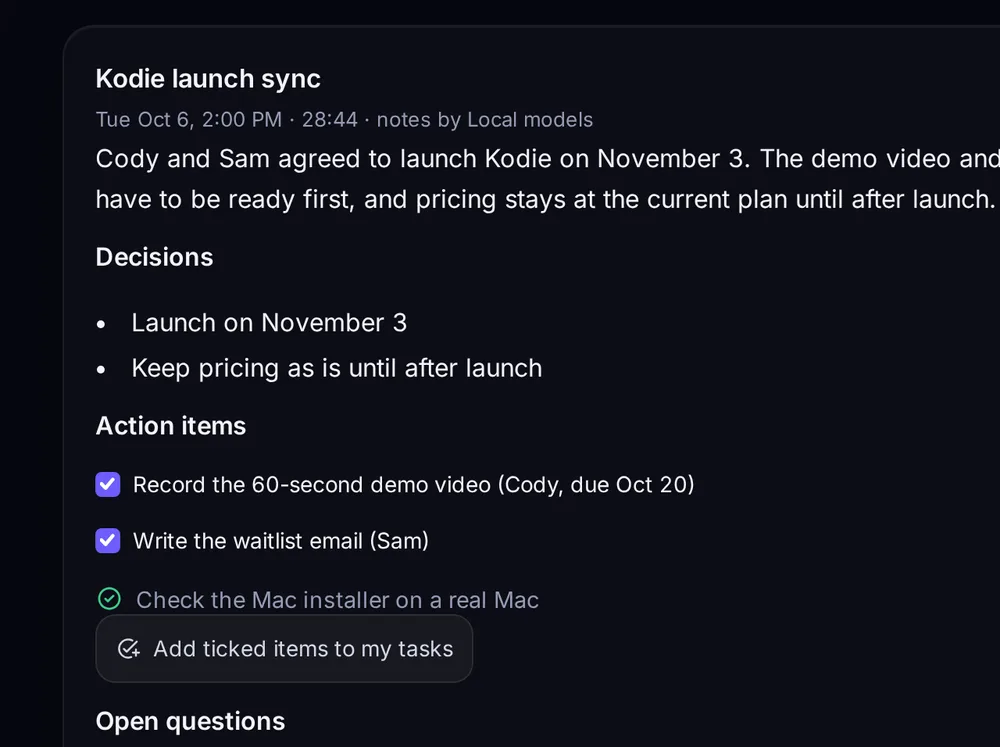
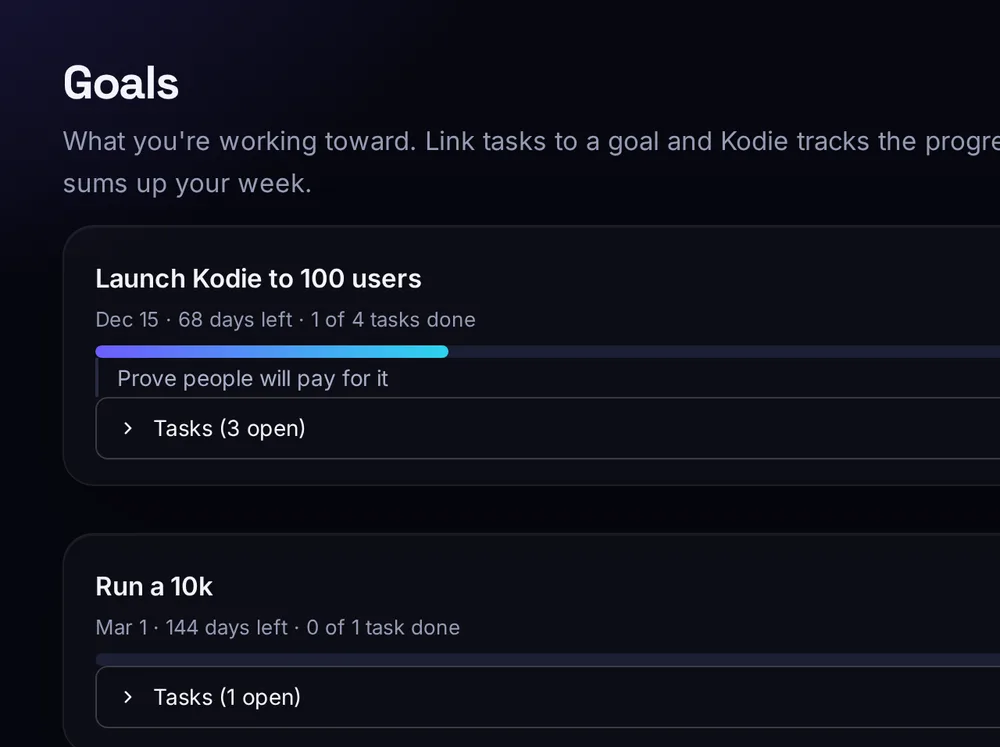
Real screens from the app. The name and data are a demo account.
How it works
Day one, Kodie already knows you.
- Bring your chats.Download your data from ChatGPT, Claude or Grok (each has an export button in its settings) and drop the file into Kodie.
- Approve what it learned.Kodie reads only what you wrote, never the AI's replies, and suggests facts about you. Nothing is kept until you tick it. It's built to leave out health details, money and passwords.
- Use any AI.Ask Claude, GPT, Gemini, Grok or a free local model. Each one gets your memory as background, so you never re-explain yourself.
Why it matters
Your AI shouldn't have to meet you again.
Each AI keeps its own idea of you
Whatever one chatbot learned about you stays with that company. Try a different AI and you're a stranger again.
Your memory should be yours
Kodie keeps one memory that works with all of them. You can read every line, edit it, delete it, and it lives in a file on your PC.
Switching should be free
New models come out every few months. With Kodie you try the new one with your context already in place, and pay each AI company only for what you use.
Council mode
When it matters, ask them all.
Start a message with /council. Every AI answers at the same time, one merges the answers, and Kodie tells you exactly where they disagree. Each original answer is one click away.
/council Two weeks off in March and $3,000 to spend. Japan or Portugal?Portugal fits $3,000 more comfortably. Flights are usually cheaper and daily costs are lower, so you'd have room for Lisbon, Porto and a few days on the coast. Japan is possible, but flights take a big share of the budget and it gets tight once you add a rail pass.
What it does
Everything else it does.
Chat like you would anywhere else. Kodie decides which AI should answer, keeps what matters, and handles the everyday things without needing an AI at all.
Council mode
Ask several AIs the same question at once. One of them merges the answers and points out the real disagreements. Every original answer is one click away.
/council which laptop for video editing?Memory every AI shares
Learned from your old chats or told once in a sentence, every model gets it as background from then on. You see the full list and can remove anything.
remember that I'm vegetarianSmart routing
Quick questions go to a fast, low-cost or free local model. Harder ones go to the strongest AI you've connected. If one AI is down or over its limit, another takes over.
/deep compare these two job offersYour day, handled
A morning briefing and evening wrap-up, to-dos that plan themselves around your calendar, and read-only email summaries. Works with Google, Outlook and iCloud.
plan my dayTalk to it
Tap the mic and speak. Speech is turned into text on your PC, and Kodie answers out loud in a natural voice that also runs locally.
any important emails?Your old chats, searchable
Everything you imported stays searchable. Ask what you were working on and Kodie finds it.
what was I working on in ChatGPT?Ask your files
Point Kodie at a folder of PDFs, Word, PowerPoint and Excel files. Ask a question and get the answer with the exact file and page it came from. It can run fully on your PC.
what's the cancellation fee in my lease?Meeting notes
Record a meeting or drop in a recording. It's turned into text on your PC, then you get a summary, the decisions and the to-dos, ready to add to your tasks.
Library → Meetings → RecordGoals and a weekly report
Link tasks to what you're working toward and watch the progress. Every Sunday, a short report: what you finished, what slipped, and three things to focus on next.
add goal run a 10k by MarchRoutines and a planner that adapts
Jobs Kodie does on a schedule, like a morning plan or an inbox sweep. When a meeting lands on your plan, Kodie moves your tasks and tells you what changed.
balance my weekHave Kodie do it
Hand off a task and get the finished thing back to review: a reply draft saved to your email's Drafts, a plan, or time on your calendar. Nothing is sent without you.
Tasks → ⋯ → Have Kodie do itSee what AI costs you
Spend for each AI by day, monthly budgets with a heads-up before you hit them, and how much Kodie saved by sending easy questions to cheaper models.
AI spendA morning with Kodie
It greets you with what matters.
Open Kodie and it tells you, out loud if you like, what's on today. The same briefing can go to your phone as a notification.
Privacy
Your PC does the work. You decide what leaves it.
Kodie is a desktop app, not a website that stores your life. Here is where each kind of data goes.
| Your data | Where it stays |
|---|---|
| AI keys and passwords | Windows Credential Manager, or the Keychain on a Mac. Kodie has no server, so they only go to the AI they belong to. |
| Memory, tasks, chat history | Files on your PC. |
| Chats with a cloud AI | Sent only to the AI you picked, with your own key, under that company's terms. |
| Read-only. Summarized by your local AI by default, so the text never leaves your PC. | |
| Your voice | Turned into text on your PC. No recording is uploaded. |
How it compares
Built-in memory keeps you in one app. Kodie works across all of them.
If you only ever use one AI, its own memory may be enough. If you use two or more, this is the difference.
| Kodie | ChatGPT or Claude memory | Multi-AI chat apps | |
|---|---|---|---|
| Remembers you in every AI you use | Yes | Only its own | No |
| Your memory lives on your PC | Yes | On their servers | Varies |
| Copy your memory into any AI | One click | Into Claude only | No |
| Ask several AIs at once | Council | No | Some |
| Runs on a free local AI | Yes | No | Some |
| Tasks, calendar, email, voice | Built in | No | No |
Pricing
Free to start. Pro when you want the whole team.
You pay AI companies directly for any cloud AI you connect, at their own prices. Kodie adds no markup.
Kodie with a free local AI and one cloud AI.
- Memory you own, learned from your ChatGPT, Claude and Grok chats
- Copy your memory into any AI
- Chat, tasks and a day planner
- Ask your files, meeting notes and goals
- Two routines
- Briefings, calendar and phone notifications
Everything in Pro for $40 less than the regular yearly price. For our first members only.
- Every Pro feature, starting today
- Then $240 a year, the regular yearly price
- A say in what gets built next
- Cancel any time; full refund within 14 days
Questions
Before you start
Can I use Kodie today?
Yes. Kodie is free to download for Windows, and for Mac (newer, still in early testing). The free plan has no time limit. Pro unlocks every AI at once, unlimited routines, email summaries and more.
What does Kodie read when it learns about me?
Only the messages you wrote in the chats you import, never the AI's replies. By default a free AI running on your PC does the reading, so your old chats don't leave your computer. You see every suggestion and nothing is kept until you approve it.
Do I need to pay for AI keys?
No. Kodie works with a free AI that runs on your PC (through Ollama), and some AI companies offer free tiers. Connect paid AIs only if you want them.
What do I need to run it?
A Windows 10 or 11 PC, or a Mac with macOS 11 or newer. A free local AI runs best with 16 GB of memory, a graphics card or Apple silicon. Without one, Kodie still works with cloud AIs.
Mac or phone?
Kodie runs on Windows and, new in early access, on Mac. Phone notifications already work through a free app, and Windows users can open Kodie on their phone too. Tell us on the sign-up form if you want a phone app.
How does the founding price work?
You pay $200 for your first year of Pro (the code FOUNDING is filled in for you at checkout), then $240 a year unless you cancel. Cancel any time from the link in your receipt or at kodiemanagement.com/manage. Not for you? Email us within 14 days of paying for a full refund.
How do I turn on Pro after paying?
Your license key appears right after checkout and arrives by email. In Kodie, go to Settings, Kodie Pro, paste it and click Activate. It renews by itself while your subscription is active.
Will Kodie read my email?
Only if you connect it, and only to read. It never sends, moves or deletes anything. By default your local AI writes the summaries, so your email stays on your PC.
Try Kodie today.
Free to download, set up in a few minutes. Upgrade to Pro whenever you want the whole team.